Free · No download · Works on any phone
See who’s free at the same time as you, and make plans in one tap.
Mark the hours you’re free. Free at the Same Time lines you up with everyone whose free time overlaps, then lets you open a group chat with the people you pick. No polls, no back-and-forth “when works for you?”.
- Free, no ads
- iPhone, Android & desktop
- Your email is never shown
How it works
From “are you free?” to a plan in three steps
No organizer, no event to set up, no link to chase people with. Everyone marks their own time and the overlaps appear by themselves.
-
Mark when you’re free
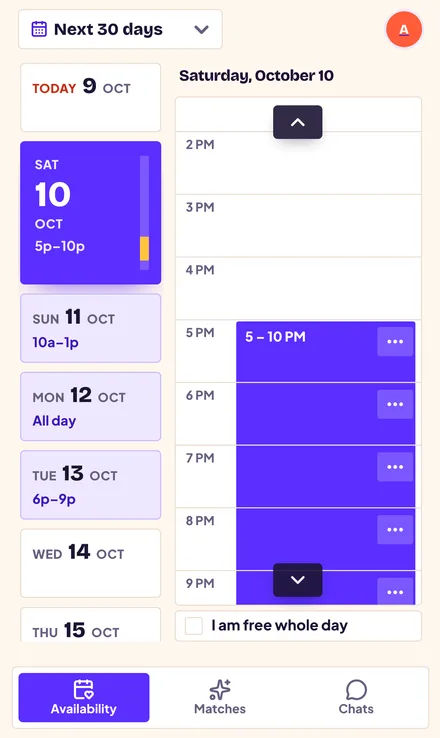
Pick a day and tap the hours you’re free, or long-press and drag to select a whole evening. Free all day? Tick one box. Have a standing slot, like Friday afternoons? Make it repeat every week.
-
See who’s free at the same time
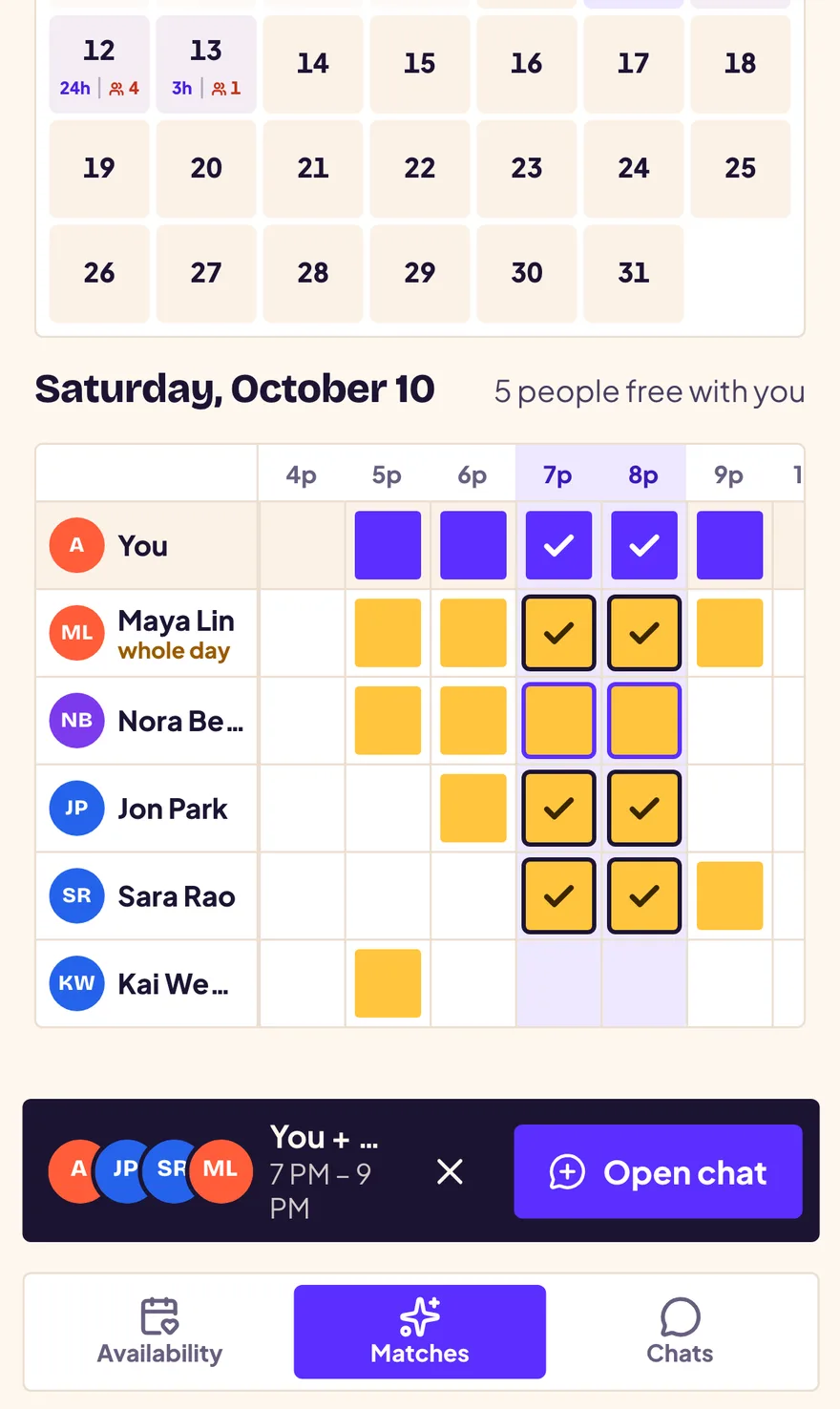
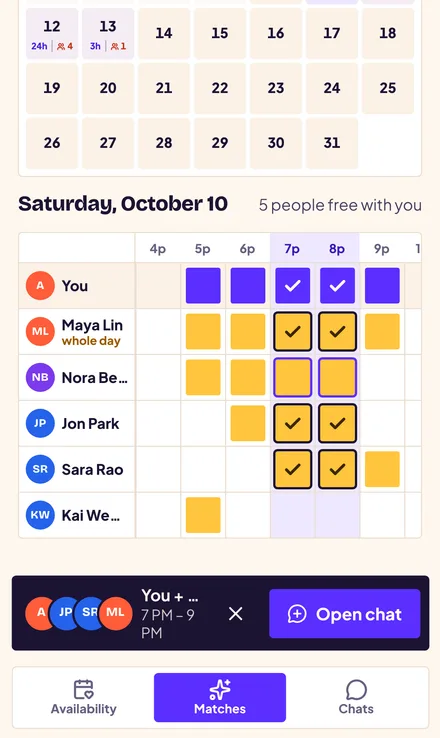
The Matches calendar shows how many people overlap with you each day. Open a day to see a timeline of everyone who shares your free hours, hour by hour, in your time zone. Tap the hours and people you want; the app keeps only the time that works for everyone.
-
Open a group chat and make the plan
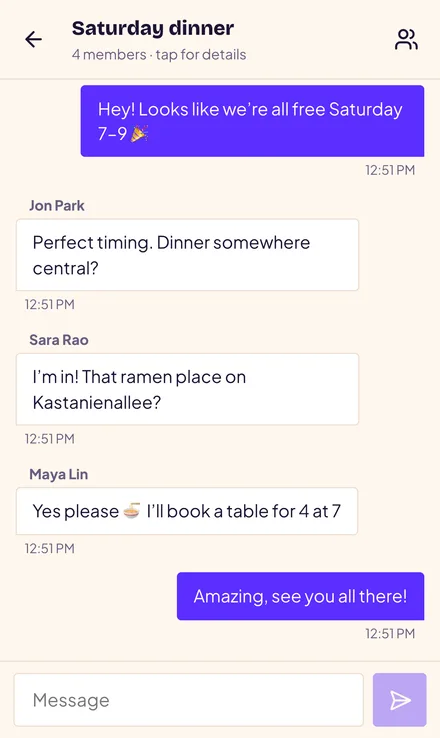
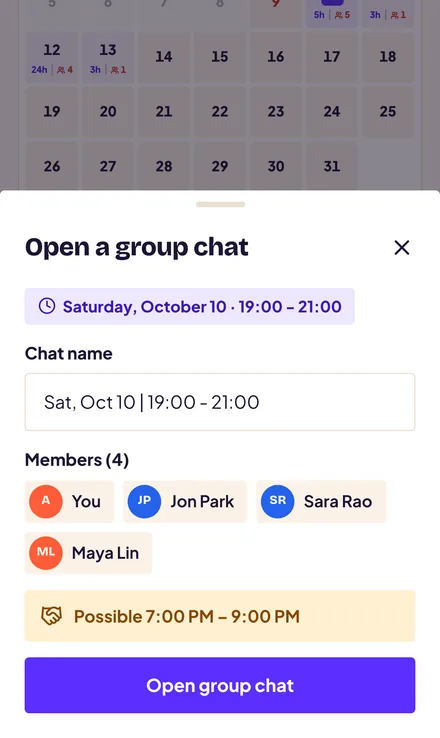
Name the chat, check who’s in and when you’re all free, and open it. Everyone joins straight away, so you can settle the where and what in a plain, simple group chat. Done? Anyone can leave whenever they like.
Features
Everything you need to find a time, nothing you don’t
-
Tap or drag your hours
An hour-by-hour planner built for thumbs. Toggle single hours or drag across an evening, and it saves as you go.
-
Weekly repeats
Free every Tuesday evening? Set it once and it fills the next three months. Change one week without touching the rest.
-
True group overlap
Two friends overlapping with you doesn’t mean they overlap with each other. The app checks everyone at once.
-
Time-zone smart
Friends abroad? Times are stored with their time zone and shown in yours, with daylight-saving days handled correctly.
-
Instant group chats
Pick 1 to 9 people and you’re all in a chat together, with real-time messages and clickable links. Leave anytime.
-
Installs like an app
Add it to your home screen on iPhone, Android, Windows or Mac. It opens full screen and loads fast, with no app store needed.
-
Private by default
Others only see the display name you choose and the time you publish. Your email address is never shown to anyone.
-
Light and dark
A bright, friendly design that follows your phone’s light or dark setting automatically.
Made for real life
Who uses Free at the Same Time?
Anyone tired of a group chat full of “I can do Tuesday… actually no”.
- Friends planning a night outSee who’s free Friday evening and turn it into dinner, drinks or a movie.
- Study groups and classmatesFind a two-hour window when the whole group can meet before the exam.
- Gaming squadsLine up a session when everyone can actually be online at the same time.
- Sports and pickup gamesGather enough people for a match without a dozen messages.
- Long-distance friends and familySchedule a call across time zones without doing the maths.
- Clubs, hobbies and side projectsFind a slot for the next meetup, rehearsal or work session.
Not another scheduling poll
Free at the Same Time vs. scheduling polls
Tools like When2meet and Doodle are great for one fixed meeting. Free at the Same Time is built for the everyday “who’s around?”.
| Question | Scheduling polls | Free at the Same Time |
|---|---|---|
| How it starts | An organizer creates an event and shares a link | You mark your free time once |
| Who you find | Only the people you invited | Everyone who’s free when you are |
| Spontaneous plans | Slow: wait for everyone to respond | Overlaps are visible straight away |
| After you find a time | Switch to another app to talk | Group chat built in |
| Repeating free time | Re-enter it for every poll | Weekly repeats |
Privacy, plainly
You decide what people see
- You sign in with Google, but your email is never shown to other people or saved with your profile.
- Others see only the display name you pick and the free time you choose to publish.
- You’re asked before your availability is published for the first time.
- People free at the same time can add you to a group chat, and you can leave any group at any time.
FAQ
Frequently asked questions
What is Free at the Same Time?
Free at the Same Time is a free web app that shows you who is free when you are. You mark the hours you’re free, the app lines you up with everyone whose free time overlaps, and you can open a group chat with the people you pick to make a plan.
Is Free at the Same Time free to use?
Yes. It’s free to use, with no subscription and no ads. You only need a Google account to sign in.
Do I need to download an app?
No. It runs in your browser at freeatthesametime.web.app. You can also install it to your home screen: on Android, Chrome or Edge use Install app; on iPhone or iPad use Share → Add to Home Screen.
How does the app find people who are free at the same time?
For each day you mark, the app compares your free hours with everyone else’s published free hours and keeps overlaps of at least 30 minutes. The Matches timeline lists you first, then everyone who shares at least one hour with you. When you choose several people, it recalculates the time that works for all of them at once, because two people overlapping with you doesn’t mean they overlap with each other.
Who can see my availability?
Other signed-in users can see your chosen display name and the free time you publish. Your email address is never shown or stored with your profile. You’re asked to agree before your availability is published for the first time.
Can I set availability that repeats every week?
Yes. You can make a block of free time repeat weekly, for example every Friday from 3 PM to 4 PM. Changing a single date later doesn’t affect the rest of the series.
Does it work across time zones?
Yes. Every entry is saved with its time zone, so overlaps are correct when people are in different cities, and daylight-saving changes are handled. You always see times in your own time zone.
How many people can be in a group chat?
A group chat can have 2 to 10 people, including you. Everyone you pick joins immediately, and anyone can leave a group at any time.
How is this different from When2meet or Doodle?
Scheduling polls like When2meet and Doodle start with an organizer who creates an event and sends a link to a fixed list of people. Free at the Same Time works the other way round: you mark your free time once, and the app shows you who is already free at the same time, then lets you start a group chat with them. It suits spontaneous plans as much as planned ones.
Does Free at the Same Time send notifications?
Not yet. Matches and chats update in real time while the app is open, but there are no push notifications when it’s closed.

Someone’s free when you are. Go find them.
Set your free hours in under a minute. It’s free and works on any phone or computer.
Get started free